


Proton VPN: Secure & Fast VPN
4.732.67K Reviews
App Specs
- Version
- 5.20.98.0
- Updated On
- License
- Free
- Downloads
- 100,000,000+
- Developer
- Proton AG
- Categories
- Tools
- Platform
- Android, iOS
Screenshots

 Analysis by AppCompare
When I try a VPN for the first time, the appeal is easy to understand: one tap can change how my connection is routed, and I don’t have to rethink every app I use. The harder question comes later. Does the VPN still feel useful when the novelty wears off, or does it become another setting I forget about? Proton VPN: Fast & Secure VPN makes a persuasive case for becoming part of a regular routine, especially for people who want a free starting point and are willing to accept that a VPN can occasionally add friction.
What I would use it for day to day
A VPN is most valuable when it solves a specific problem, not simply because its icon is switched on. I’d consider using this one when joining public Wi-Fi at a café, airport, hotel, or other shared space, or when I want my connection to pass through a VPN rather than go directly through the local network. That can be a useful privacy layer, but it doesn’t make every online activity anonymous or replace careful account and device security. I still wouldn’t treat it as permission to click suspicious links or enter sensitive details on a site I don’t trust.
A realistic routine might be opening the app before settling into a café work session, connecting, then checking that the VPN remains active before signing in to accounts. Later, if a banking app or a work service behaves unexpectedly, I’d try disconnecting briefly and reconnecting when finished. This is not a sign that the VPN has failed; some services are simply less cooperative when a connection is routed through a VPN. Knowing that trade-off in advance makes the app easier to live with.
Picking a plan without guessing
The app is free to download, and its Everyone age rating makes it broadly accessible. Paid in-app purchases are also offered, with listed prices ranging from $9.99 to $119.88 per item. I wouldn’t assume that paying is necessary just because the app presents paid options: first identify what you actually need, then check the current plan details in the app before committing. A person who only wants a basic VPN connection for occasional browsing may have different needs from someone who wants broader choice or uses a VPN throughout the day.
That distinction matters because a VPN can change the way websites and apps see a connection. A site may ask for extra verification, show different content, or refuse to load until the VPN is paused. Before paying for any plan, I’d test the free experience in the places I use most: the home Wi-Fi, mobile data, and the services I rely on. If the connection is dependable there and the available options fit my routine, an upgrade may be worth considering; if not, paying won’t automatically remove every compatibility snag.
How it compares with ordinary alternatives
The obvious alternative is to use no VPN and rely on the security of each website and the network you’re connected to. That is simpler and can avoid the extra connection step, but it doesn’t provide the same VPN routing. Another option is a browser’s built-in privacy feature, where available; that may be convenient for browser activity, but it is not automatically a replacement for a system-level VPN that can cover more than one app. I’d choose based on what I’m trying to protect and which traffic I want routed, rather than assuming every tool labelled “private” does the same job.
Free VPNs also differ in their limits and business models. Proton VPN stands out to me because its free plan is described as having unlimited data, so it is more practical for regular use than a service that cuts off access after a small allowance. Unlimited data does not mean unlimited speed, universal access, or perfect performance in every location, though. If my only goal were to reach one particular streaming catalogue, I’d be cautious about choosing any VPN on that promise alone: services can restrict VPN traffic, and results can change. I’d pick a specialist solution only if that narrow use mattered more than everyday privacy and dependable general browsing.
Worth Reading Before You Choose

Baby Panda World Brings Quick Play to Modern Phones, but Its Game Library Feels Busy

ESPN’s Live Game View Makes Following Close Games Easier

QuizzLand Review: A Good Fit for Short Trivia Breaks, Not Every Player

Basketball Stars: Multiplayer Is Fast, but Can It Recover When Matches Go Wrong?

WEBTOON Turns Phone Updates Into a Better Reading Routine

Link to Windows Runs on Shared Habits, Not Social Feeds
Small habits that make it less annoying
I find VPNs easier to keep using when I decide in advance when I need one. For example, I might make connecting part of my public-Wi-Fi routine, then avoid toggling it repeatedly just to see whether a page loads faster. If something stops working, a quick pause-and-retry test can reveal whether the VPN is involved. I’d also note which networks or apps tend to cause trouble, so the same little interruption doesn’t become a mystery each time.
It helps to think of the VPN as one layer rather than a complete privacy plan. I would still use unique passwords, keep software updated, and check that a site is legitimate before entering account details. A VPN can protect the route between my device and the VPN service from some kinds of exposure on a local network, but it cannot prevent a website I sign in to from recognizing my account. This distinction is easy to miss when privacy tools are described in broad terms, and it sets realistic expectations for what the app can do.
Who is likely to keep it installed?
I’d recommend trying it to someone who wants a straightforward way to use a VPN without immediately paying, especially if public Wi-Fi is part of their week or they want an extra connection layer while browsing. Proton AG is the developer, and the app has a 4.7 average from around 653,000 ratings, with more than 50 million installs. Those figures suggest it has reached a broad audience, but I’d still judge it by how it works on my own network and with my own apps.
It may be a poor fit for someone who needs every service to behave exactly as if the VPN were off, who dislikes managing occasional connection problems, or who expects a VPN to guarantee anonymity. People who only need to protect traffic inside one browser might prefer a simpler browser-specific tool. And if reliable access to a particular service is the main requirement, I’d test that service first instead of assuming a VPN will bypass its restrictions.
For everyday value, I care less about keeping a VPN connected every minute than about having one I can use consistently when it makes sense. The current version is 5.14.87.0, and the app first appeared on December 30, 2019; those details are useful context, but the real test is whether its routine fits my devices and habits. On Android, it requires version 8.0 or later, so I’d check compatibility before installing it on an older device.
The lasting appeal here is the combination of an accessible free option and a clear use in shared-network situations, not a promise that every online inconvenience disappears. I’d give it a place on my phone if it works smoothly with the services I depend on and I remember to use it when the network deserves extra caution. If I spend more time troubleshooting than benefiting, I’d turn it off for those situations or choose a simpler tool. That, to me, is the fairest test of whether a VPN earns a permanent spot.
So, I’ve been diving into the world of VPNs lately, and let me tell you, Proton VPN: Fast & Secure VPN really caught my attention. If you’re anything like me and value both privacy and speed, then this app might just be your new best friend. Let’s break it down.
Getting Started with Proton VPN
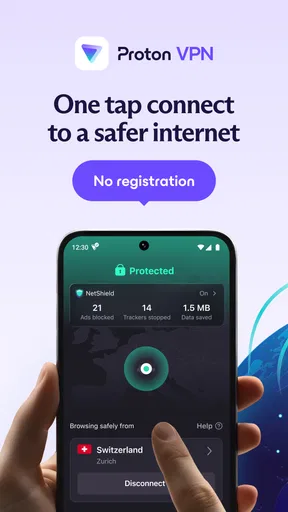
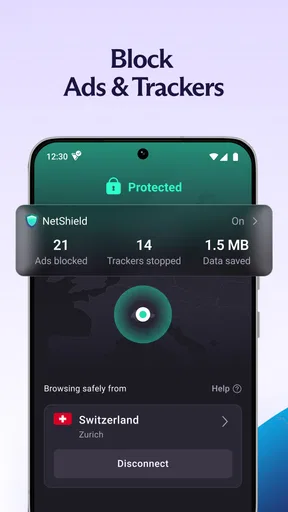
First things first, setting up Proton VPN is a breeze. You download it, sign up, and boom—you’re ready to surf the web like an international spy. The user interface is clean and straightforward, which I appreciate because nobody has time to figure out complicated menus when all you want is to stay secure online.
Features That Stand Out
One of my favorite things about this app is its focus on security. It uses strong encryption protocols, ensuring that your data stays safe from prying eyes. What’s more, it doesn’t log your activity, which means your browsing history is your business and nobody else’s. Talk about peace of mind!
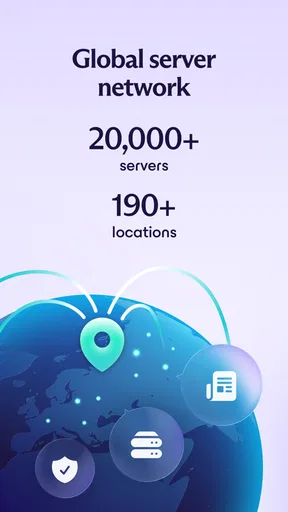
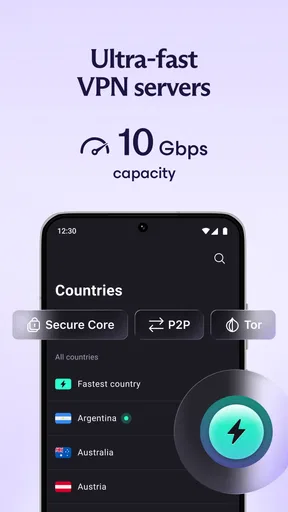
Another cool feature is the ability to connect to servers in various countries. This is perfect for accessing content that might be geo-blocked in your area. Want to catch that show that’s only available in Europe? No problem. Plus, the speed is impressive. I was streaming and browsing without any annoying buffering or lag.
Why You'll Love It
Now, let me tell you why this app stands out in the crowded VPN market. For one, the free version gives you unlimited data, which is quite rare. Most free VPNs cap your data and leave you high and dry just when you need it most. With Proton VPN, you can keep on surfing without worrying about hitting a limit.
- Unlimited Data: No restrictions on the free plan. Surf away!
- Strong Encryption: Your data stays safe and sound.
- No Activity Logs: Privacy is a top priority.
- High Speed: Stream and browse without waiting around.
The Final Verdict
Wrapping it all up, if you’re in the market for a fast and secure VPN that won’t break the bank, Proton VPN is definitely worth checking out. It combines robust security features with user-friendly design and impressive speed. So, whether you’re a privacy buff or just looking to access content from around the world, this app has got you covered.
Honestly, I’m pretty impressed with what Proton VPN offers, especially for free. Give it a try—you might just find it’s the perfect solution for your online privacy needs.
Pros
- High-speed connections ensure seamless browsing.
- Strict no-log policy protects user privacy.
- User-friendly interface for easy navigation.
- Wide range of server locations worldwide.
- Secure Core feature enhances data protection.
Cons
- Free version has limited server access.
- Occasional connection drops during peak times.
- Advanced features require a premium plan.
- Limited customer support options for free users.
- App interface can be slow to load at times.
FAQs for Proton VPN: Secure & Fast VPN
What platforms is Proton VPN available on?
Proton VPN is available on a wide range of platforms, including Android, iOS, Windows, macOS, and Linux. This ensures that users can protect their online activity across all their devices. Additionally, Proton VPN offers browser extensions for Chrome and Firefox, making it convenient for users to secure their browsing activities.
Does Proton VPN keep any logs of user activity?
Proton VPN has a strict no-logs policy, meaning it does not track or record user activity while connected to the VPN. This commitment to privacy is bolstered by its headquarters in Switzerland, a country known for strong privacy laws. Users can rest assured that their online activities remain private and secure.
How does Proton VPN ensure the security of its connections?
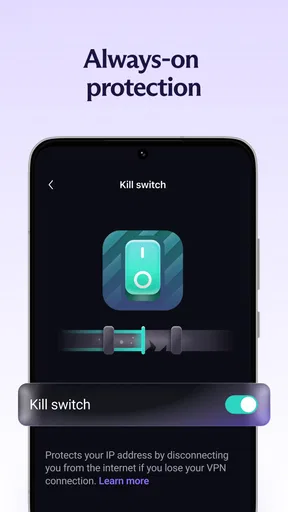
Proton VPN uses strong encryption protocols, such as OpenVPN and IKEv2/IPSec, to secure user data. Additionally, it employs advanced security features like a kill switch, DNS leak protection, and split tunneling. These measures help protect users against various online threats, ensuring a secure and private browsing experience.
Is there a free version of Proton VPN available?
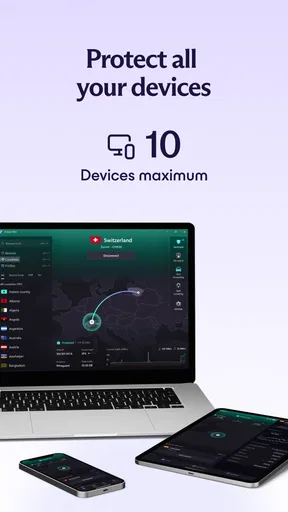
Yes, Proton VPN offers a free version with no data limits, which is quite rare among VPN providers. However, the free version has access to a limited number of servers and is only available on one device. This makes it a great option for users who want to try out the service before committing to a paid plan.
What are the benefits of upgrading to a paid Proton VPN plan?
Upgrading to a paid Proton VPN plan provides several benefits, including access to faster servers, more server locations, and the ability to connect multiple devices simultaneously. Paid plans also offer advanced features like Secure Core, which routes traffic through multiple servers, adding an extra layer of security and protection against network-based attacks.


